Data workshop
Turn real behavior into data
Turn production traces and uploaded files into versioned datasets for evaluation and training. A dedicated dataset agent prepares the rows, checks their quality, and records each transformation as an executable Python cell.

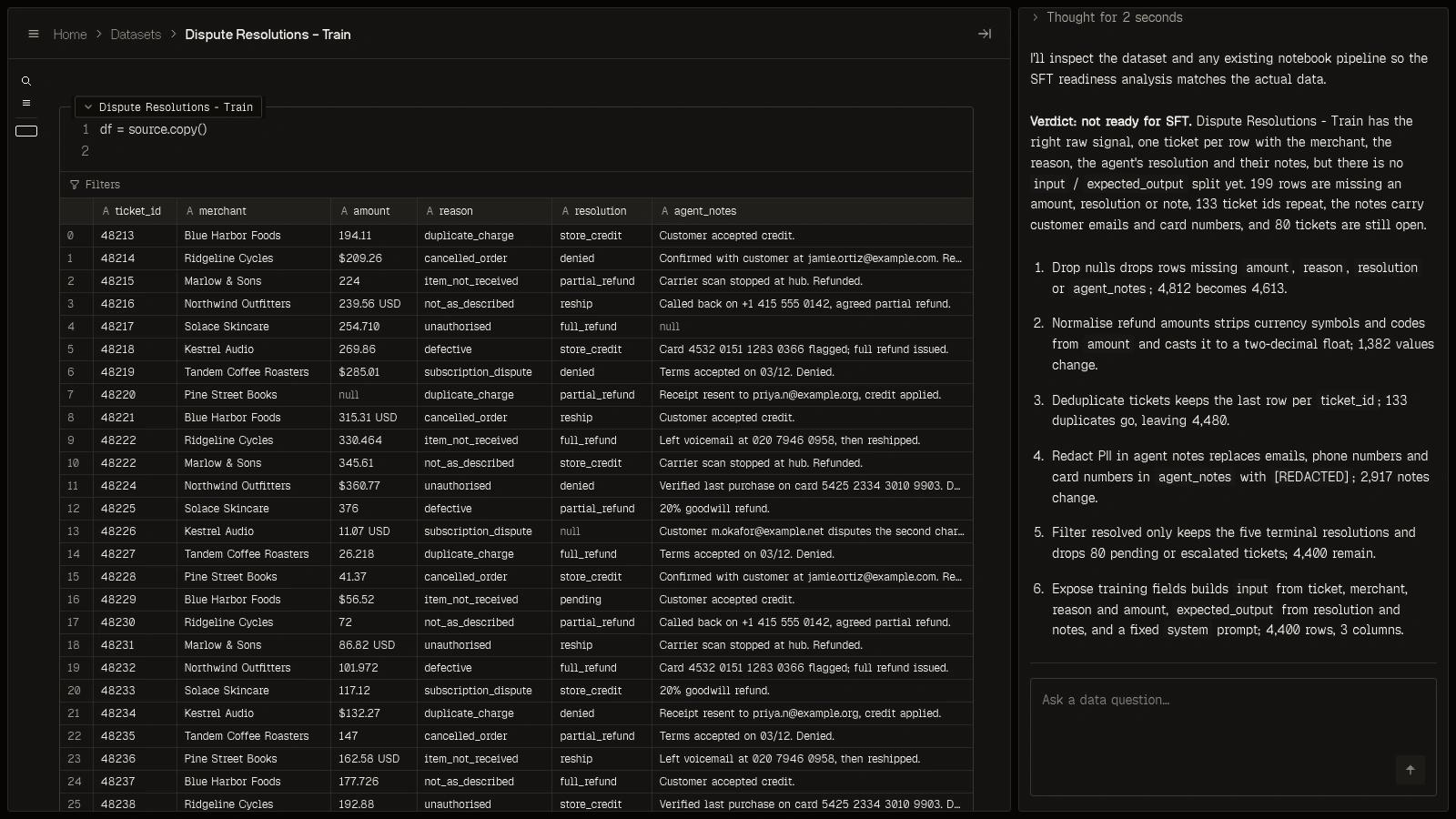
From raw rows to a reproducible dataset
Keep the original source, inspect every transformation, and pin the version each run uses.

Start with traces or your own files
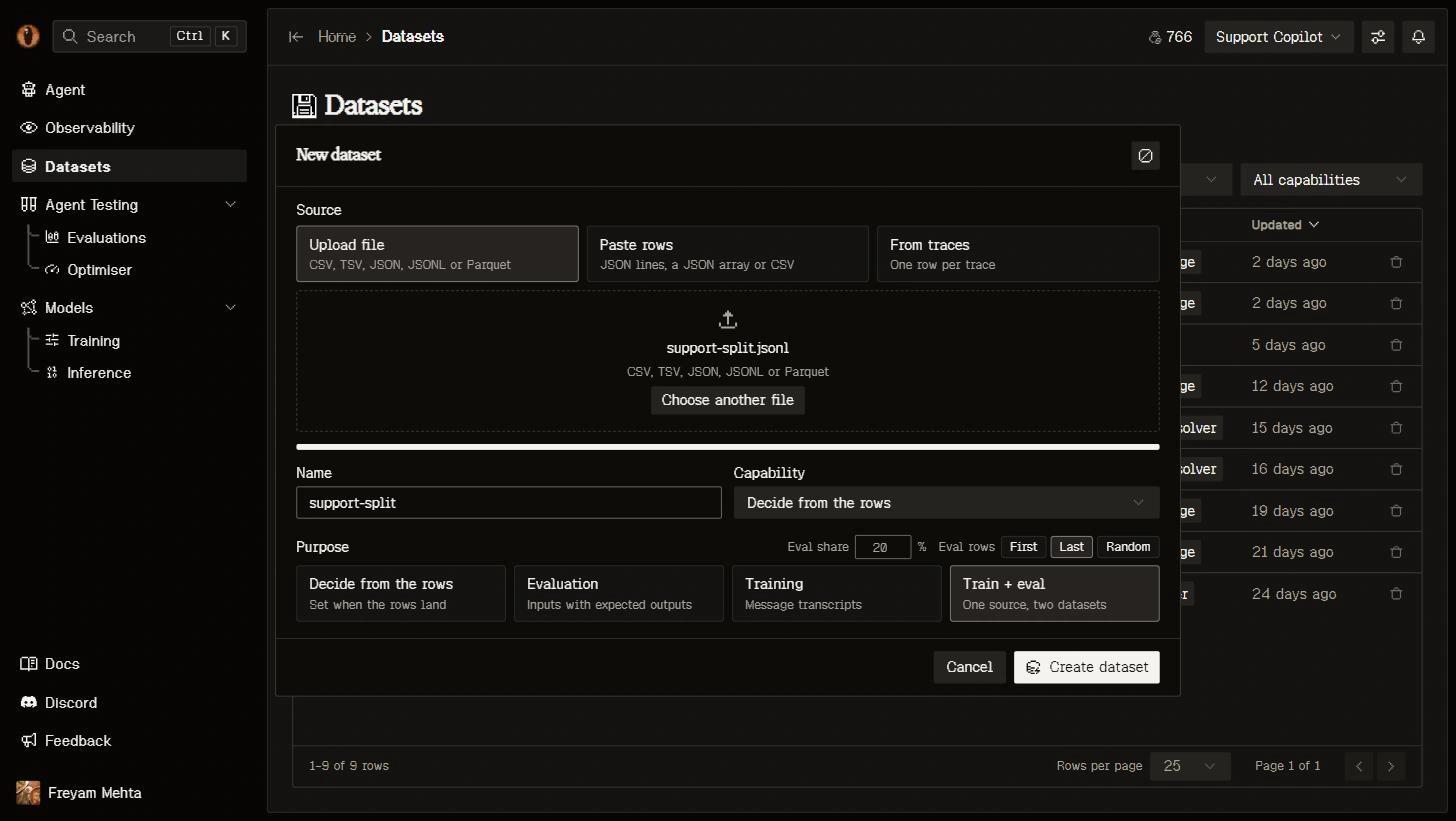
Select the production activity you want to learn from, upload a file, or bring rows through the API. Choose Train or Eval as the dataset intent and associate a capability where needed. The source lands as supplied, with trace provenance retained for data drawn from production.

An ML engineer for each dataset
Ask the dataset’s own agent to prepare, inspect or reshape your data. It tests transformations before adding executable Python cells, checks the result against the intended use, and surfaces quality findings. Changes that require semantic judgment are presented as concrete proposals for review.

See exactly what changed
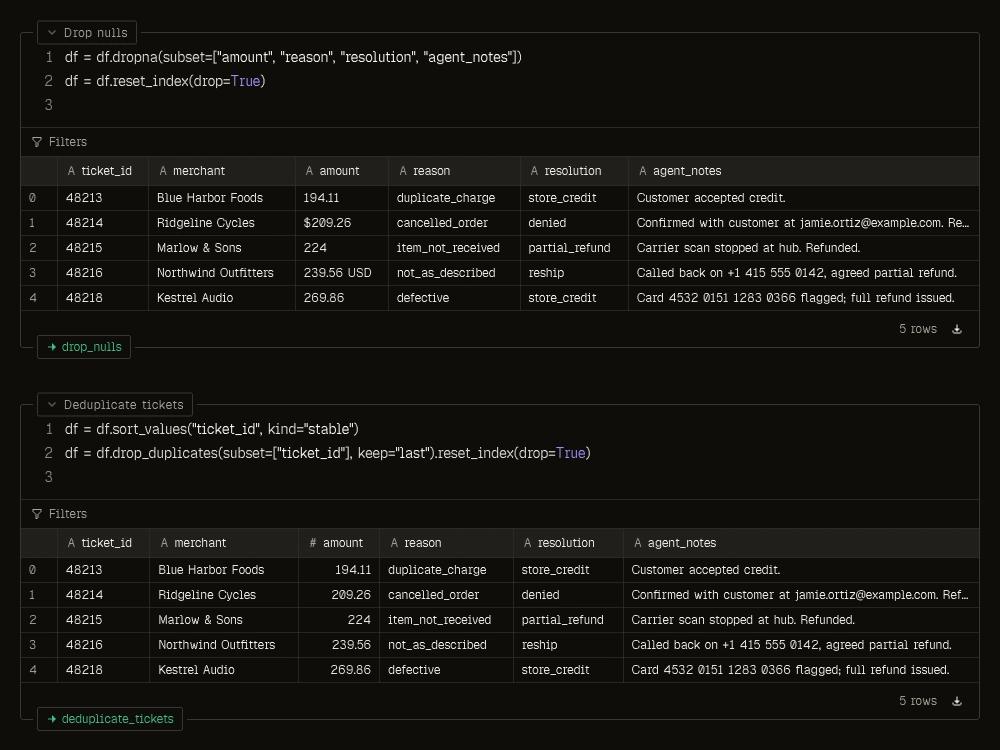
Each executed cell produces a version with its row and value changes visible. Inspect the script, compare the output with the previous cell, and choose the active version. Evaluations, optimization, training and exports freeze the version they use so later edits cannot change an earlier result.

Prepare once, use it across the platform
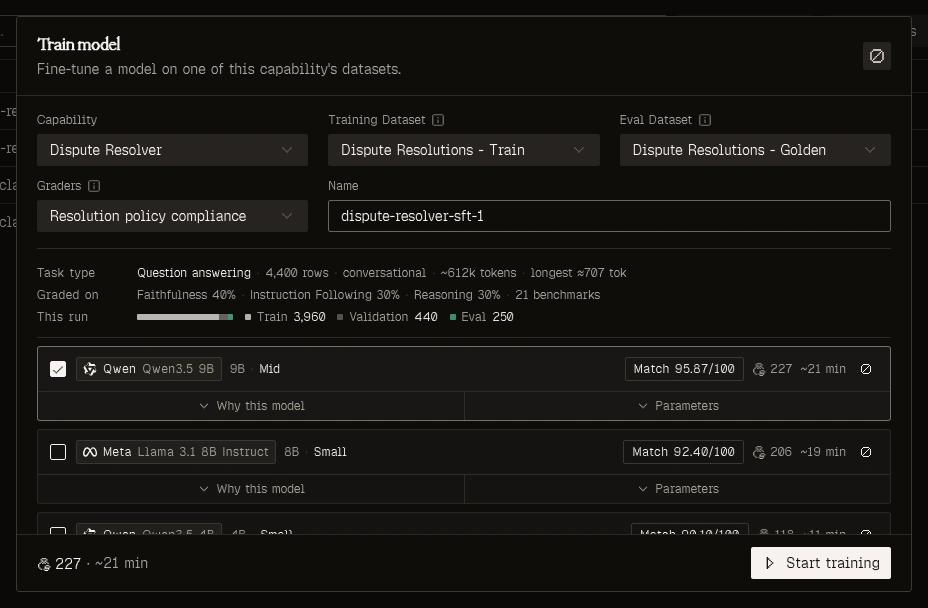
Send an eval dataset into testing or optimization, or use a training dataset to configure a fine-tune. Row shape, token statistics and tool usage inform compatibility and model recommendations. Quality findings stay visible; unreadable or technically incompatible data must be fixed before it can be used.
What you get
Preparation

Source preserved
Keep the original input beside the transformation chain and its derived versions.
Agent-assisted transformations
Clean, restructure and audit rows through the dataset chat, with executable cells you can inspect.

Quality checks
Inspect duplicates, truncated turns, leakage, task alignment and coverage, with findings attached to the data.
Reproducibility
Versioned cells
See row additions, removals and value changes at each step in the notebook.

Pinned downstream data
A run or export freezes the exact version it reads and links back to it.

Console, CLI and MCP
Inspect datasets through MCP and use the CLI for local uploads and exports.
Your data, ready for the next run
Prepare a dataset once. Keep the evidence behind every evaluation and model.